Using our hosted Overpass API in Overpass Turbo and JOSM
Every paid Tracestrack plan includes access to our hosted Overpass API — no need to run your own instance or lean on a shared public server. This post walks through pointing two of the most common Overpass clients, Overpass Turbo and JOSM, at it.
If you haven't already, grab an API key from the console. Note that you'll need a paid plan to enable Overpass API under that key's Allowed Services setting.
The one thing to get right
Our Overpass endpoint is:
https://api.tracestrack.com/overpass/YOUR_API_KEY/interpreterBoth Overpass Turbo and JOSM append interpreter to whatever server URL you give them. So the field you configure in each tool needs to stop one segment short — with the trailing slash, no interpreter at the end:
https://api.tracestrack.com/overpass/YOUR_API_KEY/Pointing either tool at the full /interpreter URL, or treating this proxy as a general OSM API server, will 404 on other requests the tool makes (like /0.6/capabilities).
Overpass Turbo
- Open overpass-turbo.eu.
- Click the settings (gear) icon in the toolbar.
- Set the Overpass API server field to your key URL:
https://api.tracestrack.com/overpass/YOUR_API_KEY/ - Save, then run a query as usual — for example, hotels in a bounding box:
[out:json][timeout:25];
nwr["tourism"="hotel"](37.77,-122.43,37.80,-122.39);
out geom;
JOSM
- In JOSM, open JOSM → Settings and switch to the OSM Server tab.
- Scroll down to the Overpass server field and set it to your key URL:
https://api.tracestrack.com/overpass/YOUR_API_KEY/ - Click OK, then download as usual.
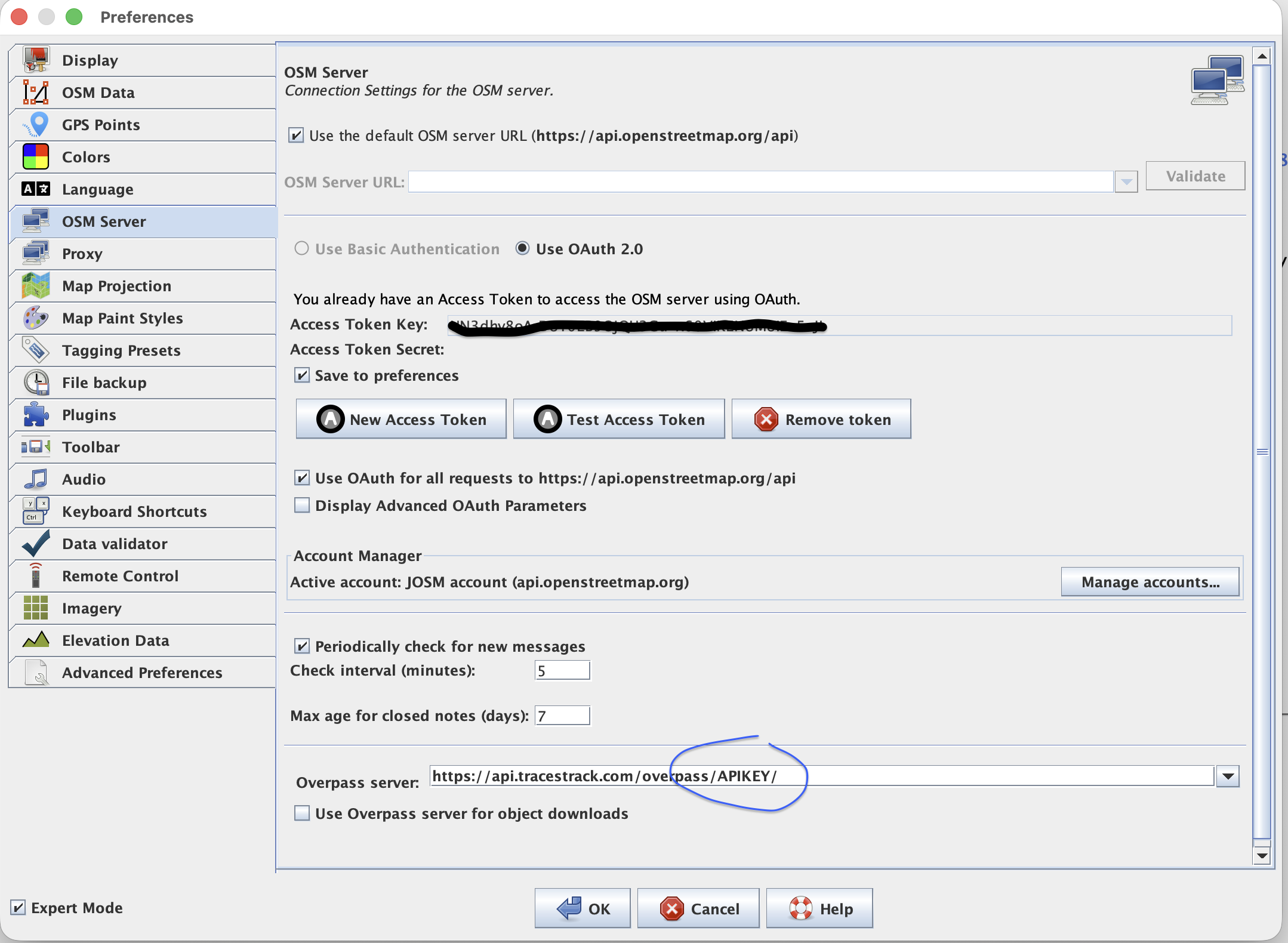
(Exact wording of this screen can shift a little between JOSM versions — if yours looks different, look for wherever it lets you set the Overpass API server.)
A note on referer-restricted keys
If you've locked your API key to an allow-list of referers in the console, keep in mind Overpass Turbo runs in the browser and will send a referer of overpass-turbo.eu, while JOSM is a desktop app and typically won't send one at all. For JOSM specifically, use a key with no referer restriction (or one that explicitly allows no referer), otherwise requests will come back with a 403.
Questions or run into something unexpected? Contact us — or see the full API docs for everything else the Overpass endpoint supports.
Posted by Quinn, Tracestrack